Sunday, March 13, 2011

Sales Counter - Final Pics

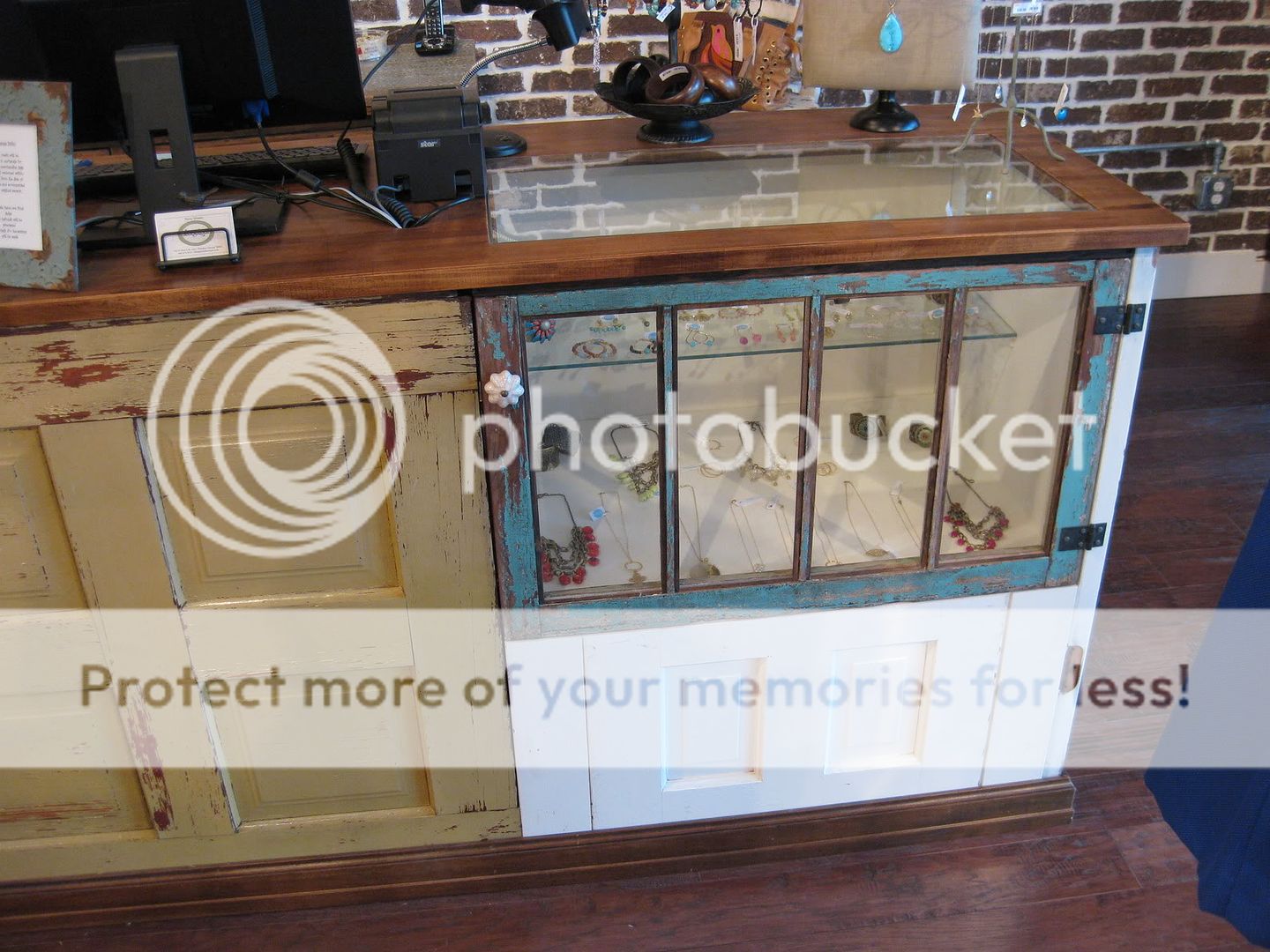
Our friend's store opened Saturday, and this was the first opportunity I had to snap some pictures of the sales counter in all its glory.

The front of the sales counter highlights salvaged doors and windows.

The rear of the counter is more functional open shelving.

The jewelry cases at each end have glass top inserts for visibility.

Despite the challenges of building this long cabinet in my small shop, I would do it again in a heartbeat.  It was fun to figure out the best way to re-use salvaged materials, and our friend loves the finished design.

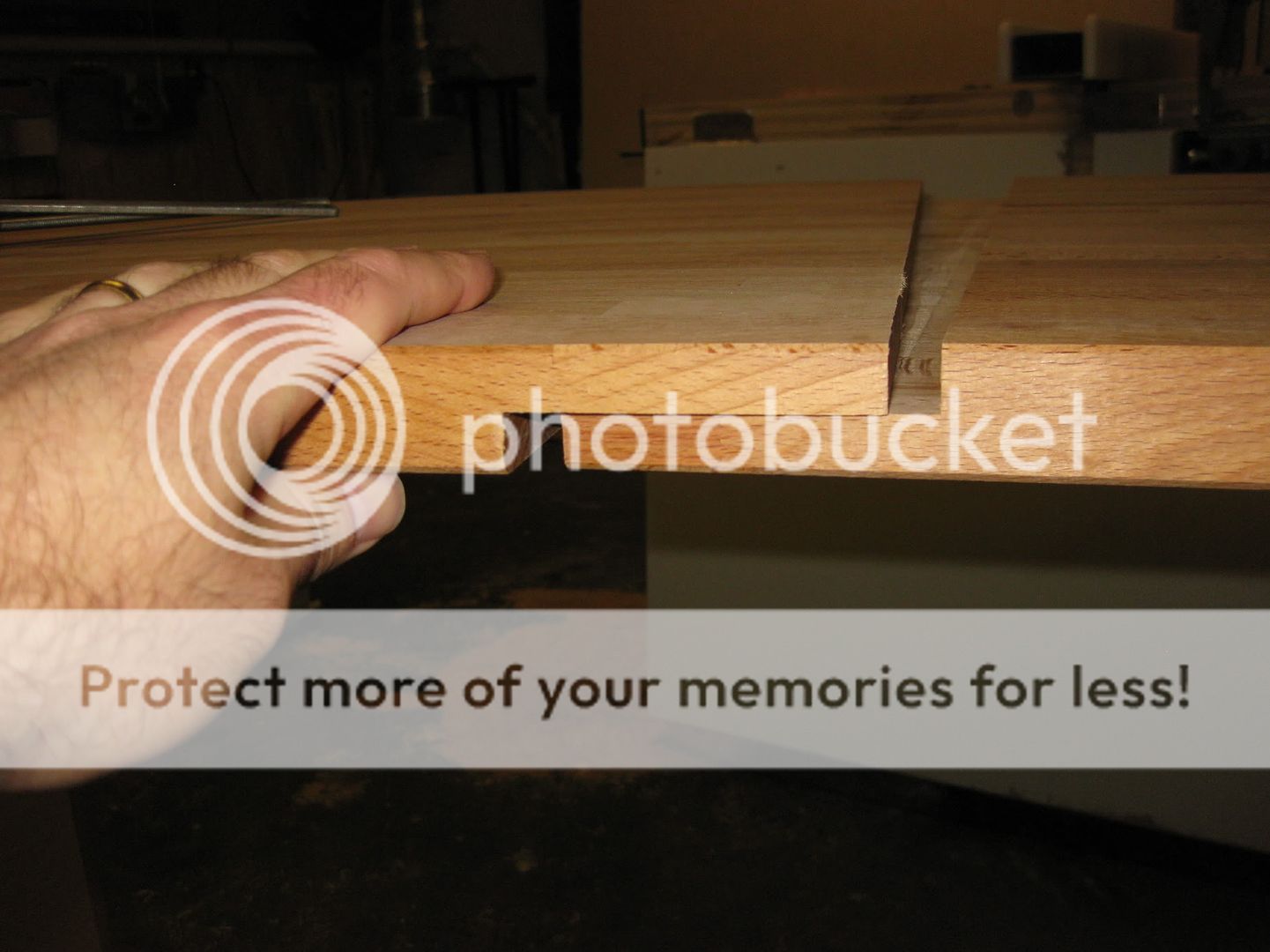
Even the counter top came out fine in the end, though I had to rework it to deal with an error in measurement.  The photo below shows the seam in the middle of the long top, where the two separate slabs are joined with pocket screws from the underside.

Close-up of the seam in the counter top
Thanks to all of you who have followed this build on the blog, and given suggestions for fixing the counter top.  That's a wrap on this project!

Thursday, March 10, 2011

Sales Counter - Top Version 2

How do you make a woodworker cry?  Tell him he has to cut up a recently finished project with a circular saw.

Boo hoo hoo.

I recently made a sales counter for a friend's new store, and it turned out great.  Unfortunately it was too long.  The first time, I created a ship-lap joint to join the two long counter slabs.  This was the source of my error in measurement.

Version 1 of the joint was a strong ship-lap.  This joint was also the source of my error in length.
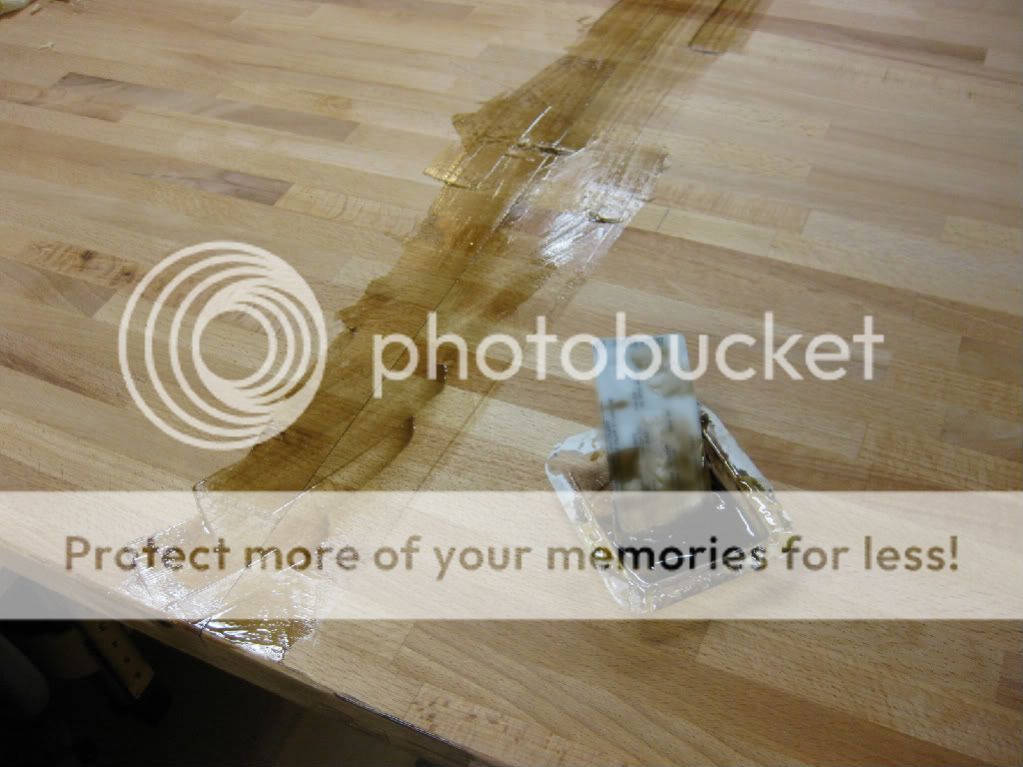
This was very strong, but I wasn't able to get the joint as tight as I would like so I had to fill the small gap with tinted epoxy.

Version 1 of the joint had a visible gap.

I used tinted epoxy to fill the gap in the original piece.

The epoxy fix turned out pretty well, but it was one of those things that drives us woodworkers crazy while nobody else really notices.  The error in length of the counter top gave me the opportunity to rethink the joint and improve the seam.

Due to the design, the only option was to cut the counter top apart and take the extra material out of the middle.  This went pretty quickly with a circular saw and straightedge.  It was very satisfying to deposit the extra chunk of material in the garbage bin, after a few choice words were exchanged.

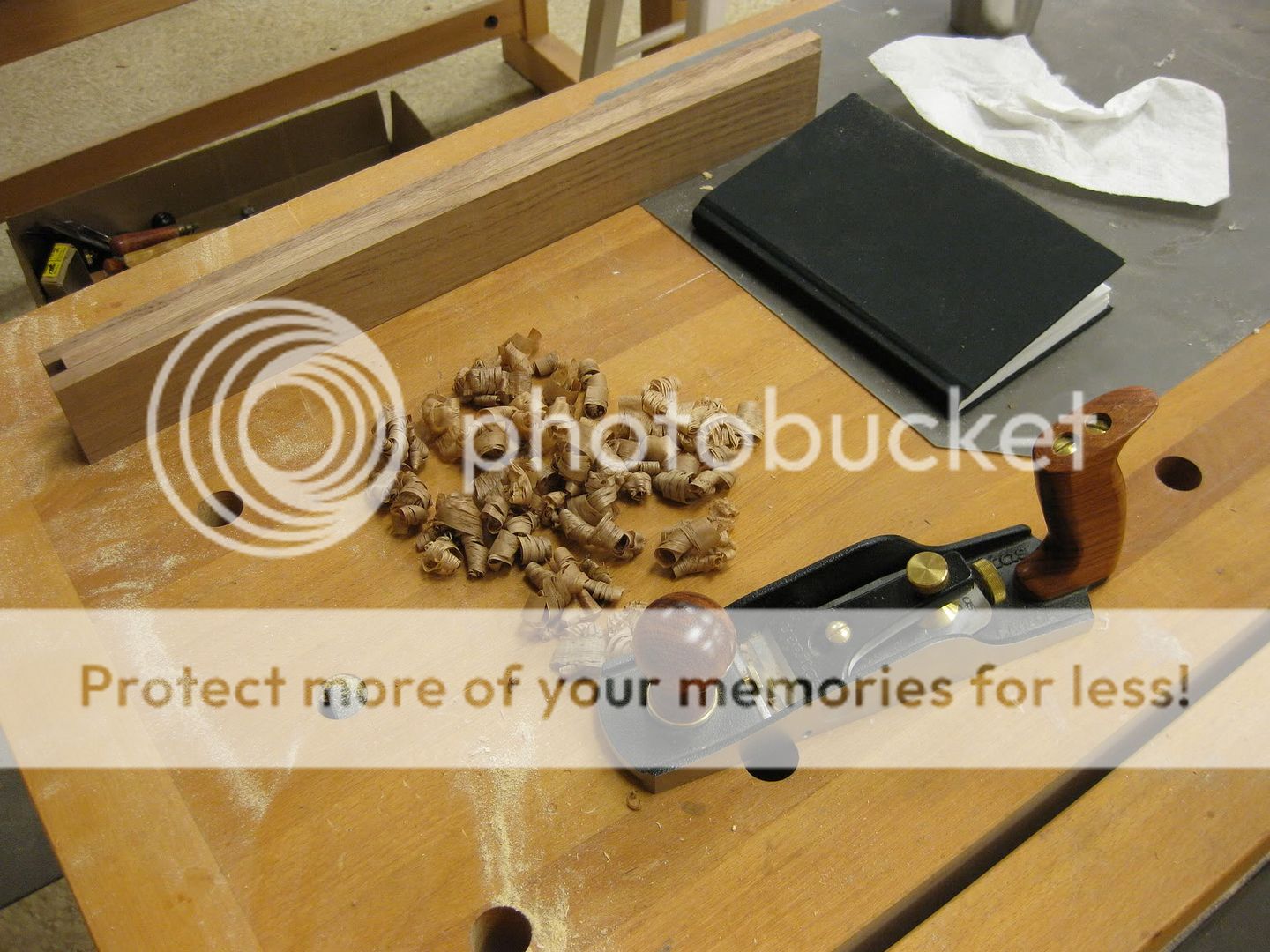
For Version 2 of the joint, I kept things a little simpler.  First I cut the two halves to exact length to get the joint centered correctly.  Then I focused on getting the joint as tight as possible.  I ended up "shooting" the ends of both halves with my smoothing plane to get them as nice and straight as possible.

A small spacer under the slab raises it up so I can shoot the end with my planes.
This approach worked very well and I was able to get the joint super tight.  In fact, I got so excited I stopped taking pictures.  Whoops!

I decided not to so another ship-lap joint at this point.  With a tight fitting seam and no extra length remaining, I was afraid anything else I did would mess it up somehow.  Instead, I used my pocket screw jig to put in a slot every couple inches along the bottom of the slabs.  I figured I could use pocket screws to pull the two halves together during installation.

I brought the tops back over to the store, and it was much easier to transport two seven foot slabs than one 14 footer in my truck.  Installation went smoothly the second time, and the pocket screws worked great to hold the two slabs tightly together along the seam.  Luckily the cabinet design allowed me to access most of the underside easily.  I just worked slowly from one side to the other, making sure the two slabs were tight and flush before screwing them together.  The seam is much less visible than the first time, and so flush that you can barely feel it.  Even better, I didn't have to strip any finish or sand to get the joint smoothed out.

I'll have pictures of the final sales counter soon - the grand opening of the store is this weekend.  Until then, I am running laps around my tiny shop.  It feels twice as big now that the counter tops are gone!

Do you ever find yourself fixing mistakes?  I sure do!  Comments are open, operators standing by!

Monday, March 07, 2011

Mr. Schwarz? My brain is full.

Chris Schwarz came to Atlanta this past weekend.  He is the editor of Popular Woodworking Magazine, a workbench guru, a hand plane aficionado, and a leading voice in the use of hand tools for woodworking.  On Friday night he gave a talk about router planes and then gave the first-ever public talk about his upcoming book, The Anarchist's Tool Chest.  The talk was very compelling and I am sure the book will be very well received.

Chris Schwarz at work

On Sunday, I had the good fortune to take a day-long class with him at the Atlanta Woodcraft store.  The goal was to build a traditional English layout square, copied from an antique tool and published recently in Popular Woodworking Magazine.  Think of a wooden framing square and you'll have the right idea.

Here is how the class felt for me:

This was an 8 hour brain dump on all sorts of topics.  We talked about lots of tools and practiced a bunch of techniques.  Sharpening plane irons, planing stock square, sawing tenon cheeks, using shoulder planes, laughing at router plane "depth suggesters", fairing curves with rasps, cutting tenon shoulders cleanly, paring with a chisel, and even simple things like gluing end grain.  This class was full of great content, and well worth the time and cost to spend the day soaking it up.

After 4 hours of work, here is what was on my bench.  Three sticks of walnut that really don't look much different than when I first picked them up hours earlier.  All I can tell you is that this stock was as flat and square as I could make it, which is a critical first step toward making tight joints.

Halfway done, but not looking like much!

For the rest of the class, we rallied and worked toward cutting a bunch of half lap joints, roughing out curves on the detail areas, and making tight joints.  I don't think anybody finished the square, but some folks got pretty close.  Here is a picture of my project as I was marking the joints in the stretcher.

My progress toward the end of the day
There were only 7 students in the class, so there was plenty of personal attention. This did not always work to my advantage.  Quote of the day from Chris was "Uhh, Aaron?  Maybe you cut to the wrong side of the line." Ouch.

Thanks to Chris for making the trip, and to Steve Quehl for bringing him to our local WoodCraft.

It is always humbling for me to interact with very experienced woodworkers, but I learn so much more than I can by just reading about it or going solo.  How do you connect with the woodworking community?  Do you take classes, or just try to figure things out for yourself?

Monday, February 28, 2011

Arrrrrrgh! Sales Counter Top Update

No, I'm not a pirate.  That's "Arrrrrrgh" as in "I am really upset and frustrated!"  Ever have one of those days?  Me too.

As a reminder, I recently built a sales counter for a friend that is roughly 14 feet long.  It has been installed, and the last thing left to do was join two store-bought butcher block counter tops together into a single long slab for the top.

Easy, right?  Well, kind of.  I'm going to get a lot of practice.  I made it too long the first time, so I get to try again.

Here's how I did it the first time.  With a series of too-complicated router setups, I created a half-lap joint between the two top slabs.  This turned out to be ultra-strong, but was the source of my error.  Somehow I messed up and the length of the overlap was added to the total counter.  The half-lap is about 3 inches wide.

Half lap joint is very strong, but I didn't measure correctly for overall length.
If I had caught the problem at this point, fixing it would have been easy.  I could have just trimmed the ends of the counter to the correct overall length.  Instead I just plowed ahead with all the remaining steps. I sanded, stained, varnished, and delivered the top.  I plopped it down on top of the sales counter and finally discovered the length was wrong.

"Arrrrrgh!"

This sales counter has a jewelry case at each end, so part of the design called for a glass insert in each end of the top.  You can see one of the cutouts in the picture below, and there is one on the other end too.

After adding cutouts for glass inserts, the only option is to cut it back apart to fix the length.
The problem now is that the cutouts for the glass inserts prevent me from simply trimming the ends off.  I will be forced to cut the two slabs apart again and redo the center joint.

"Arrrrrgh!"

The other challenge is that the top has been stained and I have several coats of durable poly applied as a finish.  I really don't want to repeat the half lap process, because I don't want to have to sand or plane the joint to get it flush.  I haven't had good luck touching up a stain/poly finish and I don't want to strip the entire top.

I'll keep you posted.  Back to the shop.

Ever have one of those days?  Got any ideas?  How would you recover from this blunder?  I'd love to hear it!

Tuesday, February 08, 2011

Sales Counter Installation

This past weekend I delivered and installed most of the sales counter project I have been making for a friend.  It was good to see this come together, and I have a lot more space in my shop now that it is gone.

Here is a quick video of the beginning of the installation.  I had hoped to capture it all but technology issues (ID 10 T errors probably) prevented me from getting the rest of the shot. 


You can see how the two end cabinets are the foundation for the piece, and then all the middle stuff gets added on site.  Here is the rest of the unit, all assembled and ready for the top to be installed at a later date.


All that remains is to join two large butcherblock slabs into a 14 foot long top, and to put some salvaged baseboard around the whole thing.  Stay tuned!

Ever used reclaimed materials for a project?  How did it come out?  Tell us about it in the comments!

Tuesday, February 01, 2011

Sales Counter Project

January was a busy month for me, so unfortunately I couldn't blog as much as I would like.  I have been working out in the shop though, and I am happy to share some pictures of the project that's been keeping me busy.

Our friend has a clothing boutique in the Atlanta area, and she is opening another location soon.  This friend is like my wife's crack dealer for dresses and accessories, and she always provides a personalized "Boutique Experience" when I need birthday or anniversary gift ideas.  When she asked me to build the sales counter for the new store, I happily agreed.

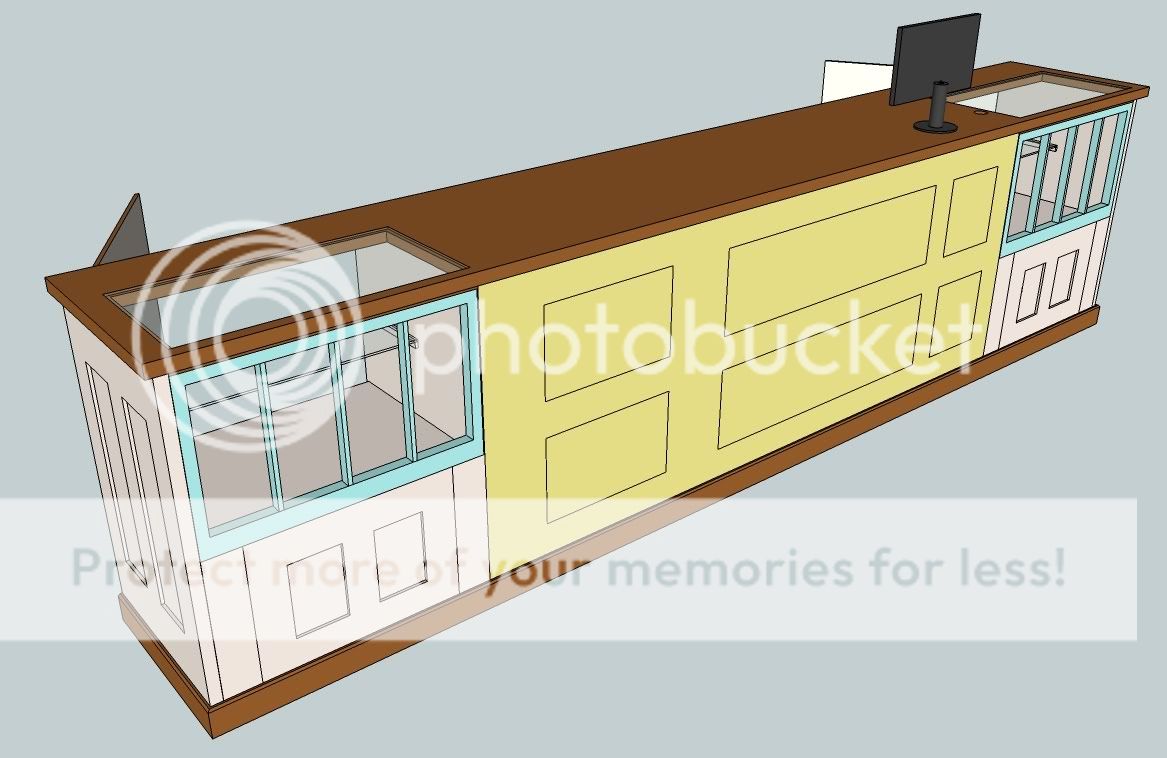
The design process was an easy collaboration, and of course I went to SketchUp for the final model.  Here's a shot of the whole project.


The style of the piece emphasizes reclaimed materials.  Two old window sashes became doors to the jewelry cabinets at each end, and a few salvaged doors cover the front and sides of the piece.  We raided a salvage yard together and found some lovely decrepit doors and windows for the project.  To stabilize all the old flaky paint, I sprayed the windows and the yellow door with shellac, using a simple household spray bottle.  This did a good job of getting in all the nooks and crannies and under the old paint, and the old stuff is much more firmly attached now.


I spent some time rebuilding the windows so that they will be sturdy enough for cabinet doors.  I took out all the old glass and what little putty remained.  I put in new glass with bedding caulk and some shop made 1/4" square stops.  For good measure I also pegged each corner of the window frame with two 1/4" dowels to combat sagging since the windows are about 32 inches wide.

The piece is coming together nicely, though it is a bit of a challenge in my small shop.  The counter is almost 14 feet long, and my shop is just 16x19.  Thankfully I came up with a modular design that can be assembled later.  The two end cabinets are standard plywood cases with end panels made from door slabs.  There will be an 8 foot middle section between the end cabinets, and this is just a stack of plywood dividers and shelves that get assembled later.  What makes this possible is that the middle section is just a few stretchers, shown in the picture below.


The countertop is really the biggest space challenge, since it will be a single piece almost 14 feet long.  I took the easy way out and went to Ikea for a couple 8 foot long sections of countertop, and I will join these together to make a single top slab for the sales counter.  I'm not really sure how I will do this yet, but I am thinking a ten inch long half-lap will be likely.


I am enjoying the unique aspects of this project such as incorporating old reclaimed materials into a design. Making it look old and crusty while still being functional and crisply assembled is an interesting contrast. Delivery and installation will be in the next couple weeks, and I'll try to get some pictures of the final piece. In the meantime, back to work for me!

Tuesday, January 04, 2011

SketchUp Tip: Field of View

I like SketchUp.  A lot.  Like really, a lot.  I use it to model most things I build, and many other things around the house.  Frankly, my wife is a little sick of all the models I think. 

Her:  "Honey, take out the garbage please?" 
Me:  "Wait, I need a 3D model for that!"

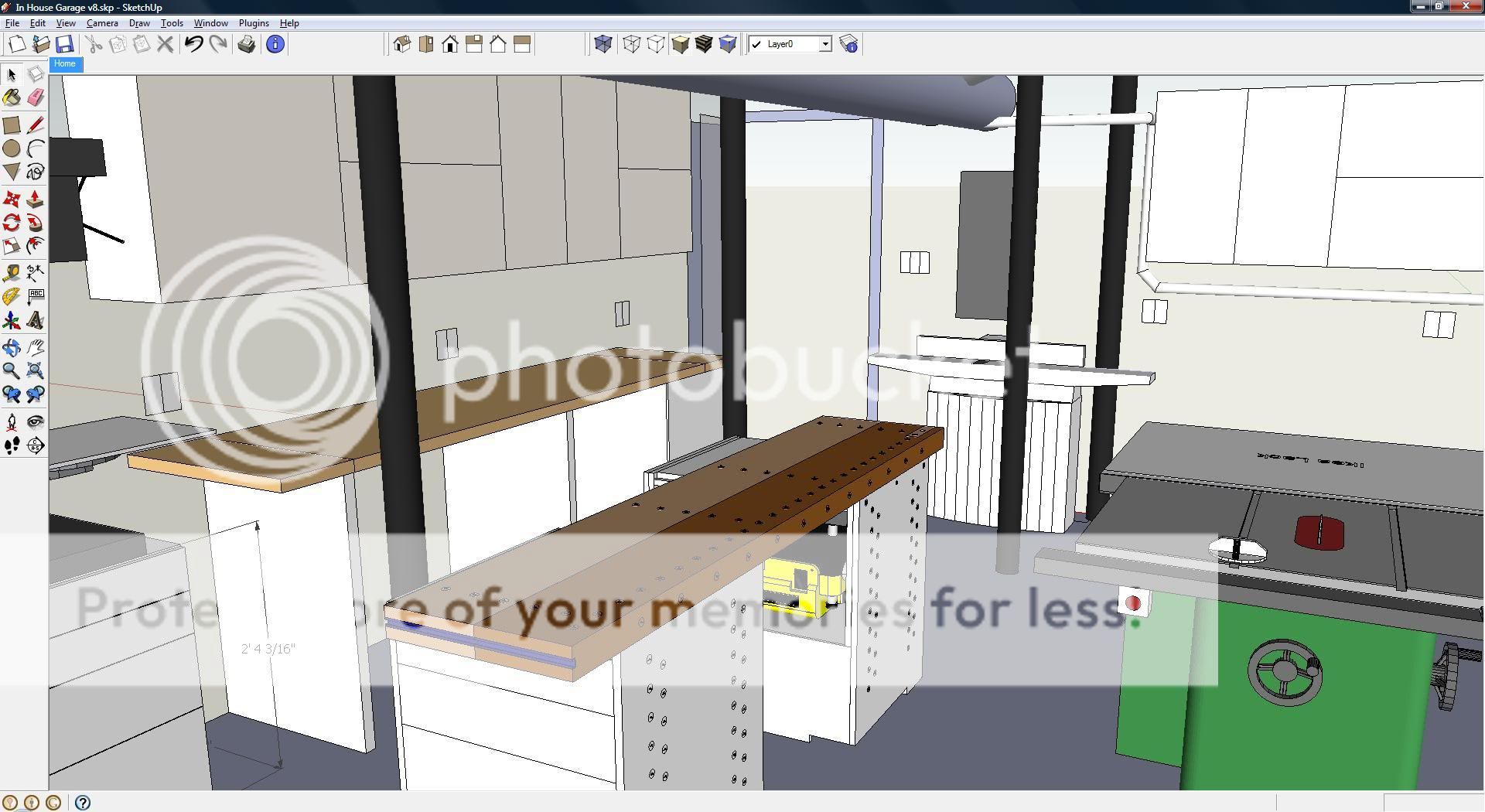
But there are times when a 3D model is very helpful.  For instance, I used it to lay out my shop to make the most of my limited space.

Click for extreme close-up
Which brings me to today's SketchUp tip.  Woodworkers tend to focus on models of a single piece of furniture, but SketchUp is also used by a bunch of architects to create entire buildings.  When you are viewing a building from the inside out, you generally want to show the viewer what they would realistically see if they were standing in the space.  This is where field of view becomes important.

The human eye has about a 120 degree field of view from side to side, or about 60 degrees per side.  It may be easier to think of this as a cone expanding outward from your eye.  The default setting in SketchUp is just 35 degrees, which is a much narrower field of view.  As a result the standard view in SketchUp can feel like you have blinders on.

For example, here is the default 35 degree view if you are standing at the garage door of my virtual shop.


SketchUp lets you easily adjust the field of view.  Here's how you do it. Click on the Zoom tool or just hit "Z" on the keyboard.  The zoom tool looks like a little magnifying glass.


After you select the zoom tool, the box in the bottom right of your SketchUp window should say "Field of View" and "35 deg".  At this point you can type in another setting and hit enter.  For example, try "60" and "Enter".  Here is the same view of my virtual shop with the 60 degree setting.


You may want to play around with different settings for different effects.  Rather than typing in each new setting, you can hold down the Shift key and the Left mouse button, and then drag the mouse around to widen or narrow the point of view.  This seems a bit awkward and unless you are comfortable with camera navigation in SketchUp I recommend just typing in your number.

One last note is that SketchUp can accept field of view settings in degrees or millimeters.  The "mm" settings are handy if you are a photographer and want to get the effect of a specific lens, such as "50 mm".  When you are typing in your new setting SketchUp stays in the current "deg" or "mm" scale unless you specifically switch to the other scale.  Note that for the human eye, 60 degrees is about the same as a 35mm lens.

That's all it takes to get a new field of view in SketchUp, and it can really help to make models look more natural for the viewer.

Got a question about SketchUp?  I'd love to hear from you in the comments.